Blue Yeti USB Microphone Review UK 2026 — Worth It?
 By Cpt. CROW Published Updated gaming
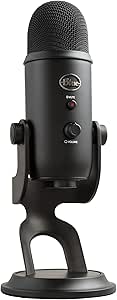
 ⚡ Quick Verdict: The best-selling USB microphone for a reason — broadcast-quality audio for streaming, podcasting, and remote work.
Opens amazon.co.uk · Prices subject to change
✓ What We Love
- Broadcast-quality audio straight into USB — no audio interface needed
- Four polar pattern modes for different recording setups
- Headphone output for zero-latency monitoring
- Solid metal build — heavy and stable
- Works plug-and-play on Windows and Mac
! Worth Knowing
- Large and heavy — needs desk space
- Picks up keyboard and room noise in cardioid mode
- No mute LED indicator on the original Yeti
Quick Verdict
The Blue Yeti is the definitive USB microphone for streamers, podcasters, and anyone who wants broadcast-quality audio without needing an audio interface or XLR setup. Plug it in, speak, and it sounds professional. That simplicity at this price point is the Yeti's core appeal.
Audio Quality
Three condenser capsules give the Yeti a warm, full sound that condenser microphones are known for. In cardioid mode, your voice sounds clear and natural without the tinny quality of cheap headset mics. In streaming environments, viewers notice the difference immediately.
Four Polar Patterns
Cardioid (single speaker), Stereo (two speakers side by side), Omnidirectional (room recording), and Bidirectional (two people facing each other). Most users use cardioid for streaming — the other modes are valuable for podcasting interviews and room recording.
Zero-Latency Monitoring
The 3.5mm headphone output lets you hear yourself in real-time without software processing delay. Essential for catching mic positioning issues and background noise before it hits the stream.
Who Should Buy This?
Streamers, podcasters, remote workers on video calls, and content creators who want professional audio quality from a single USB cable.
Frequently Asked Questions
Does the Blue Yeti need an audio interface?
How do I reduce background noise with the Blue Yeti?
Yeti vs Yeti X — what is the difference?
Ready to Buy?
Check the latest price on Amazon UK — free delivery with Prime.
Check Price on Amazon — ~£109.99Opens amazon.co.uk · Prices subject to change
Related Reviews
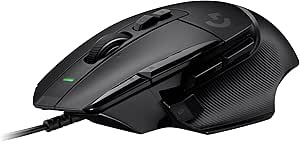
Logitech G502 X Gaming Mouse
The gold standard for FPS gaming mice — precise, weighty, and built to last.
Check Price on Amazon →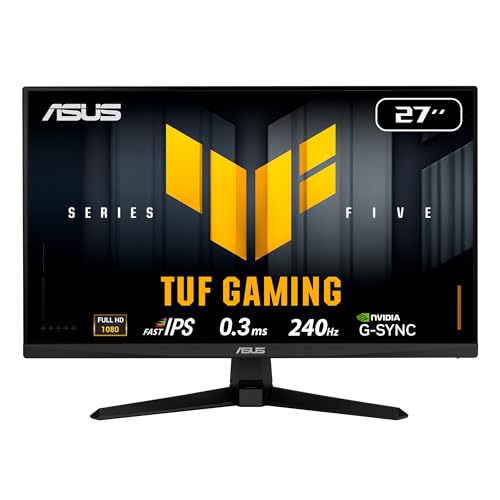
ASUS TUF Gaming VG27AQ 27-inch QHD Monitor
A superb 1440p 165Hz IPS gaming monitor — the sweet spot between resolution, refresh rate, and value.
Check Price on Amazon →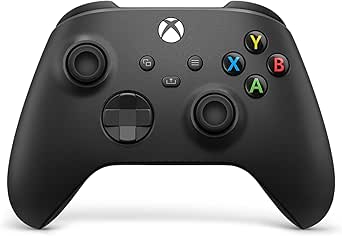
Xbox Wireless Controller (Carbon Black)
The best cross-platform gaming controller — superb ergonomics, USB-C charging, and works on Xbox, PC, and Android.
Check Price on Amazon →